RS716-E9 Access Control Turnstile Gate Securiy Solution Anti-tailgating Access Door
Free Quote
RS716-E9 Access Control Turnstile Gate Securiy Solution Anti-tailgating Access Door
Product Introduction
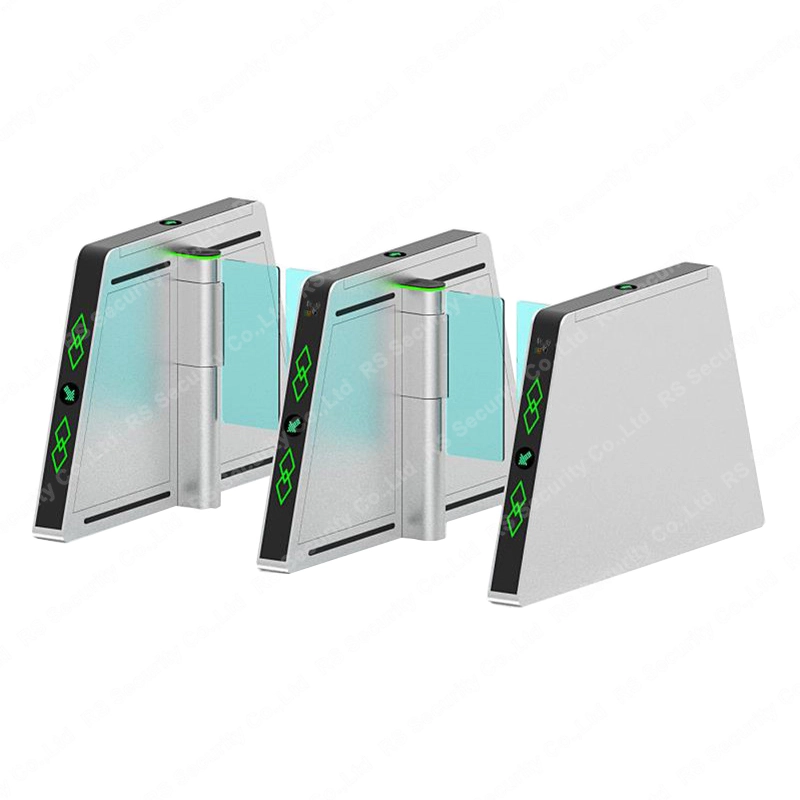
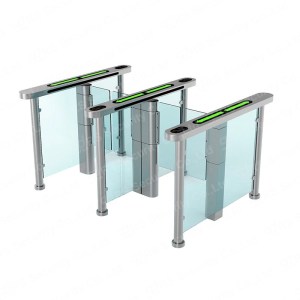
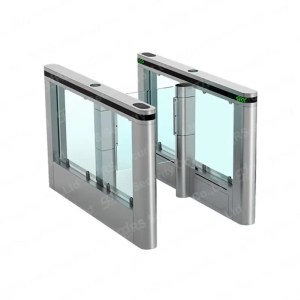
The RS716-E9 Access Control Turnstile Gate is a professional security solution engineered to balance strict access management with efficient pedestrian flow. As a premium access control turnstile gate, it operates in a normally closed mode, with tempered glass or acrylic barriers retracting into the 304 stainless steel pedestal only after valid authentication—such as authorized cards, biometric identifications, or push buttons—to prevent unauthorized entry. Its ultra-slim design (600x130x1000mm) makes it ideal for space-constrained environments, while maintaining robust performance.
Equipped with a 24V servo motor, this access control turnstile gate offers adjustable speed and rapid opening/closing times (0.2-2s), achieving a transit capacity of 40-45 people per minute—perfect for high-traffic scenarios. Ten pairs of sensor beams enable anti-punch and anti-tailgating protection, ensuring only one person passes per valid credential. This versatile access control turnstile gate integrates seamlessly with all types of access control systems and works in both indoor and sheltered outdoor settings. Its wide application scope includes bank lobbies, office buildings, fitness clubs, schools, prisons, hotel lobbies, ports, and exhibition halls, making it an ideal choice for any space requiring efficient, secure access management.
Product Features
Ultra-slim body (600x130x1000mm) with a sleek, space-saving design for compact environments
Fast operating speed with adjustable opening and closing time (0.2-2s) for flexible traffic control
Reliable lock and unlock system ensuring stable security performance in long-term use
Bi-directional control supported by authorized cards, biometrics, push buttons, and other authentication methods
Seamless integration with all kinds of access control systems for expanded functionality
High-brightness RGB LED lights (blue/green/red/white) provide clear flow direction guidance
Anti-punch function: barriers won’t close if people are detected inside the passageway
Anti-tailgating design: only one person allowed to pass per valid authentication to prevent unauthorized entry
Anti-panic feature: barriers open automatically during power outages for safe and rapid evacuation
Dual operation modes: normally closed (standard security) or normally open (for group passage)
Remote control support for convenient opening and closing operations
Card reading memory function: user-configurable for single or multiple time card reading passing
Failure detection and alarm functions for timely security alerts and maintenance
Optional features: counter, voice speech, and remote control for enhanced usability
Educational institutions (e.g., schools, colleges, research centers)
Space-constrained areas (e.g., small office lobbies, narrow corridors, retail stores)
RS716-E9 Access Control Turnstile Gate System Integration Guide
This guide provides detailed instructions for integrating the RS716-E9 access control turnstile gate with common access control systems (IC/ID card readers, facial recognition devices, fingerprint scanners). Follow the steps below to ensure seamless communication and reliable operation.
1. Prerequisites
RS716-E9 access control turnstile gate (powered on and in normal working state)
Locate the “Input Interface” on the RS716-E9 control box (supports Relay signal and 12V level signal).
For Relay signal connection: Connect the card reader’s “NO” (Normally Open) terminal to the turnstile’s “Relay Input” terminal; connect the card reader’s “GND” terminal to the turnstile’s “GND” terminal.
For 12V level signal connection: Connect the card reader’s “Signal Output” terminal to the turnstile’s “12V Level Input” terminal; connect the card reader’s “Power Supply” (12V) and “GND” terminals to the turnstile’s auxiliary power output (if available) or an external power supply.
Secure all connections with insulation tape to avoid short circuits.
Parameter Configuration
Set the card reader to output “Single Trigger” mode (one valid card swipe = one signal output).
On the RS716-E9, enable “Card Reading Memory Function” via the control panel (configure as “Single Time Card Reading Passing” by default).
Adjust the signal valid time on the turnstile (recommended: 1-2 seconds) to match the card reader’s output duration.
2.2 Facial Recognition Device Integration
Wiring Connection (RS485/TCP/IP)
Choose the communication interface: Use RS485 for short-distance (≤100m) connection, or TCP/IP for long-distance (≤1000m) connection.
RS485 Connection: Connect the facial recognition device’s “A” terminal to the turnstile’s “RS485-A” terminal; connect “B” terminal to “RS485-B” terminal; connect “GND” to “GND”.
TCP/IP Connection: Connect both the facial recognition device and the turnstile to the same local area network (LAN) via Ethernet cables. Record the IP addresses of both devices.
Parameter Configuration
On the facial recognition device: Set the communication protocol to “Modbus RTU” (for RS485) or “TCP/IP” (for Ethernet); set the baud rate (9600bps by default, matching the turnstile’s baud rate).
On the RS716-E9: Enter the control panel to enable “External Access Control Integration” mode; input the facial recognition device’s IP address (for TCP/IP) or slave address (for RS485).
Configure the facial recognition device to send a “Pass Allow” signal (Relay or level signal) to the turnstile after successful identification.
2.3 Fingerprint Scanner Integration
Wiring Connection
Use the turnstile’s “12V Level Input” interface for connection (most fingerprint scanners output 12V level signals).
Connect the fingerprint scanner’s “Signal Output” terminal to the turnstile’s “12V Level Input” terminal; connect “Power Supply” (12V) and “GND” terminals to an external power supply (ensure voltage matching).
For two-way access control: Connect two fingerprint scanners (one for each direction) to the turnstile’s “Inbound Input” and “Outbound Input” terminals respectively.
Parameter Configuration
Set the fingerprint scanner to “Auto-Output Signal” mode (signal duration: 1 second).
On the RS716-E9, enable “Bi-directional Control” mode to support separate inbound and outbound authentication.
Test the connection: Swipe a registered fingerprint, and the turnstile should retract the barrier within 0.2-2 seconds.
3. General Configuration & Testing
3.1 Common Parameter Settings
Flow Direction Guide: Enable RGB LED lights on the turnstile (green = pass allowed, red = pass denied) to match the access control device’s feedback.
Anti-Tailgating Function: Ensure “10 Pairs of Sensor Beams” are enabled on the turnstile to prevent multiple people from passing with one authentication.
Alarm Settings: Enable “Failure Detection and Alarm Function” on the turnstile—configure to trigger an alarm if the access control signal is abnormal or the turnstile malfunctions.
3.2 Integration Testing
Single Authentication Test: Perform 10 consecutive valid authentications (card swipe/facial scan/fingerprint) to verify the turnstile opens and closes normally.
Invalid Authentication Test: Test with unregistered cards/faces/fingerprints to confirm the turnstile remains closed and the alarm is triggered (if configured).
Bi-directional Test: Test inbound and outbound access separately to ensure the turnstile controls the correct barrier direction.
Continuous Operation Test: Run the integrated system for 30 minutes to check for stable communication and no signal loss.
4. Troubleshooting
Turnstile does not respond to access control signals: Check wiring connections (ensure no loose or reversed terminals); verify the access control device is outputting a valid signal (use a multimeter to test).
Communication failure (TCP/IP): Confirm both devices are on the same LAN; check IP address settings (no duplicate IPs); disable firewalls that may block communication.
Multiple people pass with one authentication: Ensure “Anti-Tailgating Function” is enabled on the turnstile; check if the sensor beams are blocked by dust or obstacles.
Signal delay: Reduce the signal valid time on the turnstile; check if the communication cable is too long (extend RS485 cable with a repeater if needed).
5. Notes
Always power off both the turnstile and access control device before wiring to avoid electrical damage.
Use shielded cables for RS485/TCP/IP connections to reduce interference from external electrical devices.
Regularly maintain the communication interface (clean dust, check for corrosion) to ensure long-term stability.
For custom integration requirements (e.g., third-party access control software), contact the manufacturer for protocol documentation.